
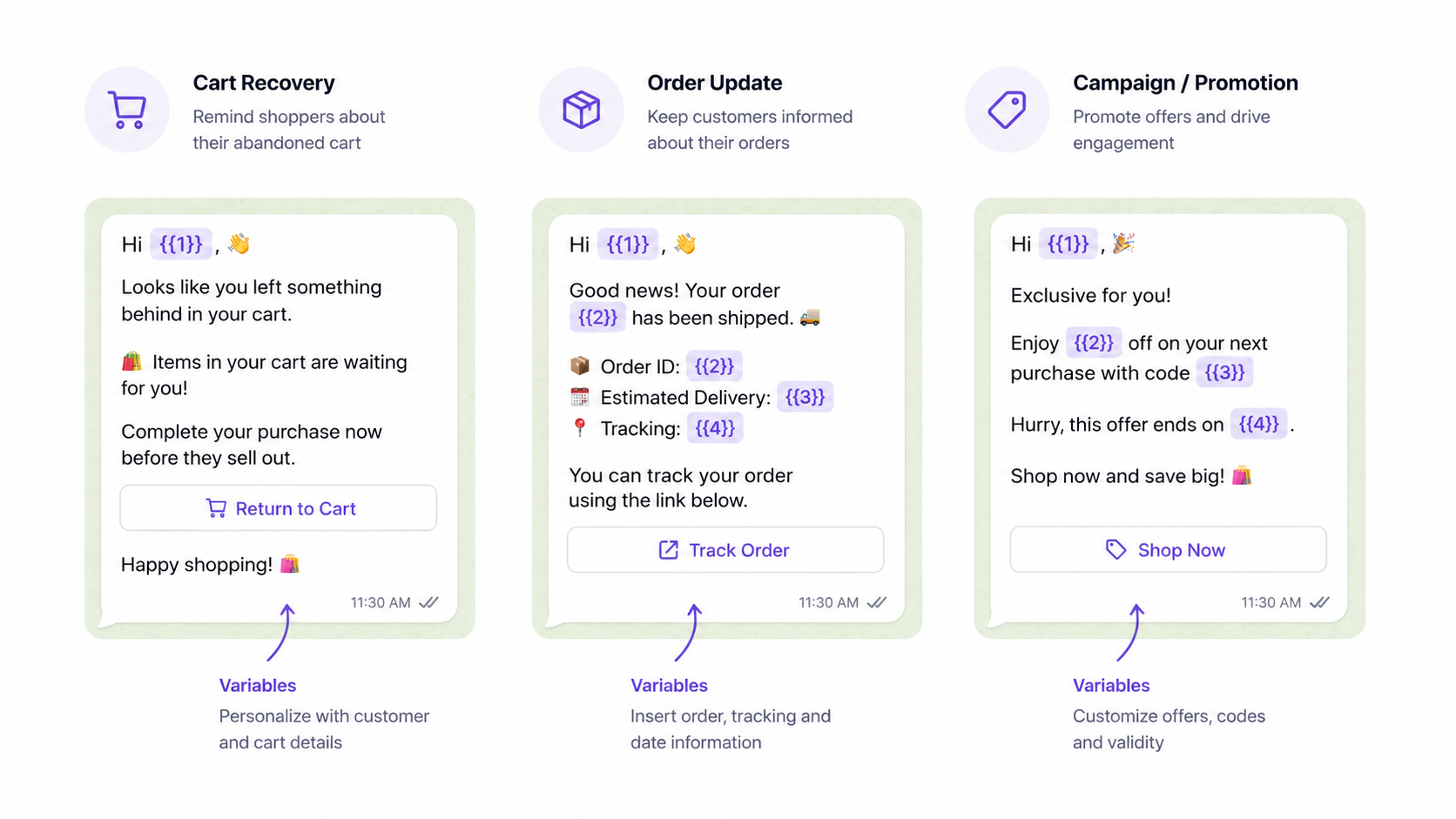
The templates you send through WhatsApp determine whether customers click through to buy, reply to ask a question, or – worst case, block your number. Getting them right matters.
This post shares 15 WhatsApp message templates for the most important ecommerce automations, along with notes on what makes each one effective and tips for getting your templates through Meta’s approval process.
About WhatsApp Business Templates
A quick note before the templates: business-initiated WhatsApp messages (messages your system sends to customers, as opposed to replies in an open conversation) must be pre-approved by Meta. This means you can’t use these exactly word-for-word without submitting them through your WhatsApp platform’s template manager.
However, the templates below are structured to align with Meta’s content policies. The general principles that help with approval:
- Clear, honest messaging about what you’re offering
- No all-caps, excessive exclamation marks, or clickbait phrases
- Include a clear opt-out reference or your platform will add one
- Variable fields (like {{customer_name}} or {{product_name}}) are fine and encouraged
Cart and Checkout Recovery Templates
Template 1: Simple Cart Reminder (Low-Pressure)
Hi {{customer_name}}, you left {{product_name}} in your cart at {{store_name}}. Still thinking it over? Your cart is saved: {{cart_link}}
Why it works: Non-pressured, no discount, just a helpful nudge. Works well as a first message 20–30 minutes after abandonment. The lack of urgency language makes it feel like a genuine reminder rather than a sales push.
Template 2: Cart Reminder with Product Detail
Hi {{customer_name}} – you left {{product_name}} in your cart. Here’s a quick look at what you had: {{product_description}}. Ready to complete your order? {{cart_link}} – Reply STOP to unsubscribe.
Why it works: Adding a product detail reinforces the purchase intent. Useful for stores with high-consideration products where a small reminder of the product’s appeal can tip the decision.
Template 3: Second Follow-Up (Adds Value)
Hey {{customer_name}}, just checking in on your cart at {{store_name}}. Free shipping on orders over {{threshold}} – your order qualifies. Complete your purchase here: {{cart_link}}
Why it works: The second recovery message should add something – a relevant fact about shipping, a guarantee, or a feature highlight. Avoid discounting on message 2 unless your margins support it comfortably.
Template 4: Final Recovery Message with Incentive
{{customer_name}}, your cart at {{store_name}} is still saved. As a thank you for your interest, here’s {{discount_amount}} off your order: {{discount_code}}. Offer expires in 24 hours: {{cart_link}} – Reply STOP to opt out.
Why it works: The incentive message should be the last in the sequence (not the first). Sending a discount first trains customers to abandon carts to wait for the coupon. Used at the end of a 3-step sequence, this converts customers who needed a little push.
Template 5: Abandoned Cart with Social Proof
Hi {{customer_name}} – you left {{product_name}} in your cart. It’s one of our most popular items: {{review_snippet}}. Complete your order before it sells out: {{cart_link}}
Why it works: Social proof reduces purchase anxiety, especially for new customers. Adding a short, authentic review quote (2–3 sentences maximum) can meaningfully improve this template’s conversion rate.
Order Confirmation and Post-Purchase Templates
Template 6: Order Confirmation
Hi {{customer_name}}, your order from {{store_name}} is confirmed! 🎉 Order #{{order_number}} is being prepared. We’ll send you a tracking link as soon as it ships. Questions? Just reply to this message.
Why it works: Sets a positive tone post-purchase, gives the customer useful information, and opens a natural support channel without being pushy.
Template 7: Shipping Notification
Great news, {{customer_name}} – your {{store_name}} order has shipped! Track your package here: {{tracking_link}} Estimated delivery: {{estimated_date}}. Need help? Reply to this message.
Why it works: Shipping notifications are the highest-value transactional message type. Customers who receive a WhatsApp shipping update with a tracking link rarely need to contact support to ask where their order is.
Template 8: Delivery Confirmation
Your {{store_name}} order has been delivered, {{customer_name}}! We hope you love it. If anything isn’t right, just reply here – our team is happy to help. Enjoy! 😊
Why it works: A warm delivery confirmation message leaves a positive last impression and opens the door for support if there’s an issue – all without requiring the customer to find your contact details.
Template 9: Post-Purchase Review Request
Hi {{customer_name}}, thanks for your order from {{store_name}}! How are you enjoying {{product_name}}? We’d love your feedback – it takes less than a minute: {{review_link}} Thank you! 🙏
Why it works: Sent 5-7 days after delivery (depending on your product type), this message reaches customers at peak satisfaction. WhatsApp review request messages typically see higher click-through rates than email equivalents because of the channel’s higher read rates.
Template 10: Replenishment Reminder (Consumable Products)
Hi {{customer_name}} – it’s been about {{weeks}} weeks since your {{product_name}} order from {{store_name}}. Running low? Reorder in one click: {{product_link}} Reply STOP to opt out of reminders.
Why it works: Works for consumable products – supplements, skincare, coffee, pet food, cleaning supplies – where reorder timing is predictable. Sent at the right time, this catches customers before they’ve already bought from a competitor.
Marketing Campaign Templates
Template 11: Flash Sale Announcement
{{store_name}} sale is live, {{customer_name}}! {{discount_percent}}% off everything – today only. Shop now: {{sale_link}} Sale ends at midnight. Reply STOP to unsubscribe.
Why it works: Direct, specific, time-bound. The clear expiration drives urgency without melodrama. Avoid “HURRY!” and “DON’T MISS OUT!” – these tend to feel spammy.
Template 12: New Product Launch
Hi {{customer_name}} – something new just dropped at {{store_name}}. Introducing {{product_name}}: {{one_line_description}}. You’re getting early access before we announce it publicly. Shop here: {{product_link}} Reply STOP to unsubscribe.
Why it works: The “early access” framing makes subscribers feel valued. It’s accurate – they opted into WhatsApp specifically to get updates from your store, so giving them a first look is a natural reward for that.
Template 13: Restock Alert (for Waitlisted Customers)
Good news, {{customer_name}} – {{product_name}} is back in stock at {{store_name}}! You requested a notification when it returned. Get it here before it sells out again: {{product_link}}
Why it works: Restock alert messages have some of the highest conversion rates of any ecommerce message type. The customer already decided they wanted this product – you’re just removing the one obstacle (availability).
Template 14: Seasonal or Holiday Campaign
Hi {{customer_name}}, {{holiday_name}} is coming up and {{store_name}} has you covered. {{campaign_description}} Shop the collection: {{campaign_link}} Free shipping on orders over {{threshold}}. Reply STOP to unsubscribe.
Why it works: Seasonal framing is relevant and expected. Customers don’t resent holiday promotions from brands they like – they expect them. Keep the message specific (what’s on offer, why it’s relevant now) and don’t overload it.
Template 15: Loyalty and VIP Offer
Hi {{customer_name}}, as one of our valued customers, we wanted to say thank you. Here’s an exclusive offer just for you: {{offer_description}} – use code {{code}} at checkout. Valid until {{expiry_date}}: {{store_link}} Reply STOP to opt out.
Why it works: Explicit acknowledgment of the customer’s relationship with your brand – “as one of our valued customers” – improves response rates. Pairing it with a genuinely exclusive offer reinforces that being on the WhatsApp list has real value.
Tips for Getting Templates Approved
Meta reviews every business-initiated template before it can be used. Approval usually takes a few hours to a couple of days.
To improve approval rates:
- Keep the language honest and non-hyperbolic
- Avoid phrases that Meta flags as high-risk: “Win!”, “You’ve been selected!”, “Act now!”, “Limited time only!” (use “offer expires” instead)
- Include opt-out language – either in the template itself or confirm your platform adds it automatically
- Variable parameters should be clearly defined and the template should make sense with realistic example values
- Don’t start with a variable parameter as the very first character
If a template gets rejected, the rejection usually includes a reason. Address it specifically – most templates get approved on the second submission if the issue is fixed.
Vuelve includes a template manager, approval tracking, and pre-built automation flows for all the message types in this guide. Get started with WhatsApp for your store.